What Is the Favorites Fancy Text Generator? (Your Custom Font Hub)
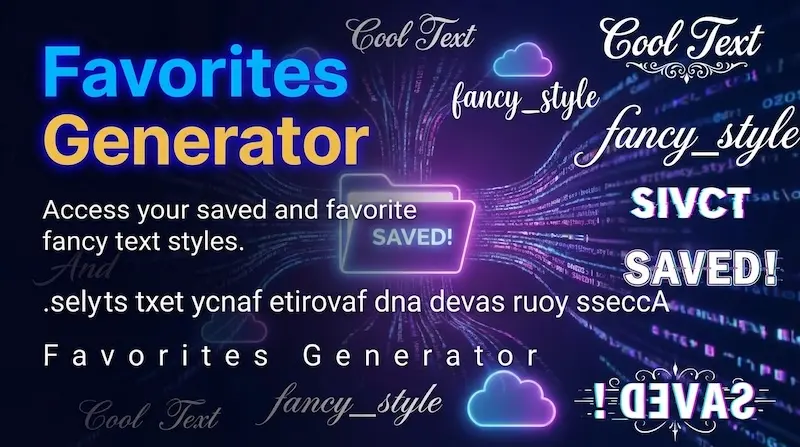
The Favorites Fancy Text Generator is a personalized typography dashboard that allows creators, gamers, and social media managers to curate, organize, and access their favorite fancy fonts in one convenient hub. Instead of manually searching through hundreds of styles across multiple categories every time you need a new caption or username, your Favorites collection aggregates your chosen typography into a single real-time preview board.
When you enter text into the input box on this page, the tool dynamically converts your phrase exclusively into your bookmarked styles. Whether you love bold Gothic Fraktur for gaming gamer tags, dainty cursive script for Instagram bios, or retro ASCII frames for Discord channel announcements, your Favorites dashboard lets you compare and 1-click copy your signature aesthetics in seconds.
Client-Side Storage: How Favorites Work Without Login or Accounts
Unlike conventional websites that require creating an account, remembering passwords, or signing in with third-party social profiles, our Favorites system is 100% client-side and privacy-friendly.
When you tap the heart icon (🤍) on any font card, our script immediately commits that style's unique identifier into your browser's persistent HTML5 Web Storage API (localStorage) under a safe, sandboxed key. No personal information, browsing history, or keystrokes are ever sent to an external server. Your bookmarks remain saved in your browser cache, ready for your next session.
Key Benefits of Curating a Personal Fancy Font Dashboard
Digital creators who publish across multiple platforms save hours each month by keeping their preferred typography bookmarked in Favorites:
1. Instant Multi-Style Previews (Zero Endless Scrolling)
AIFancyText hosts over 150+ specialized Unicode fonts and decorative emblems. Finding that one specific Gothic Cross or Kawaii Ribbon style you used last week can take minutes of scrolling. Favorites condenses your workflow so your signature styles appear at the very top of your screen every time you open the page.
2. Cross-Category Font Mixing in One Unified View
Standard generator pages group fonts by category (e.g., Cursive only, Gaming only, Small Caps only). The Favorites manager breaks down these silos. You can save your favorite styles from Ancient & Script, Love & Cute, Sci-Fi & Cyber, and Zalgo Glitch, comparing how your text looks across completely different aesthetic families simultaneously.
3. Complete Privacy & Offline Speed
Because your favorites are stored locally in your browser's fast key-value cache, the page renders instantaneously with zero API latency. There are no tracking cookies, no advertising profiling, and no risk of database leaks.
Favorites Management Feature Table
| Action | How It Works | Visual Indicator | Storage Persistence |
|---|---|---|---|
| Save a Font Style | Tap the heart icon on any font card across any page | Heart turns from white (🤍) to red (❤️) | Saved to browser localStorage |
| View Bookmarks | Open the Favorites tab from header nav or category scroll | Renders all favorited styles in a grid layout | Loads instantly from local memory |
| Remove a Font Style | Tap the red heart icon on any saved card | Heart reverts to white (🤍) and card dismisses | Key instantly removed from storage |
| One-Click Copy | Click the card body or the Copy button | Displays instant "Copied!" toast alert | Copied to system clipboard |
How to Bookmark, Manage, and Copy Favorite Fancy Fonts (Step-by-Step)
- Explore Any Font Category: Browse through any category on AIFancyText—such as Cursive Fonts, Old English & Gothic, or Gaming Nicknames.
- Tap the Heart Icon: On any card you like, click or tap the heart button (🤍) in the top-right corner. It will turn red (❤️) to confirm it is saved.
- Open Your Favorites Hub: Click ⭐ Favorites in the top navigation bar or category scroll.
- Type Your Message: Enter your new text into the input box. All your saved styles will update in real time simultaneously.
- Copy with One Click: Tap any favorited card to copy your customized text to your clipboard, ready to paste into Instagram, Discord, TikTok, or WhatsApp.
Technical Guide: Browser Compatibility & LocalStorage Persistence
To get the most out of your Favorites manager, keep these technical aspects in mind:
- Cross-Session Persistence: Your saved fonts persist indefinitely in standard browsing mode. You can restart your computer or reopen your mobile browser next week, and your favorites will still be waiting for you.
- Private & Incognito Browsing: If you use Private/Incognito windows, your browser automatically clears its localStorage cache as soon as all incognito windows are closed. To ensure your bookmarks are saved permanently, use a standard browser tab.
- Clearing Browser Data: Selecting "Clear Cookies and Site Data" in your browser settings will reset localStorage. If you frequently clear cookies, we recommend taking a quick screenshot or noting your top style names so you can re-heart them in seconds.
- Cross-Device Access: Because localStorage is scoped locally to your specific device and browser, favorites saved on your smartphone will remain on your smartphone, and favorites on your desktop remain on your desktop.
🎯 Frequently Asked Questions (FAQ)
What is the Favorites Fancy Text generator?
The Favorites Fancy Text generator is a personalized font dashboard that organizes all your bookmarked fancy text styles in one place, allowing you to preview and 1-click copy your favorite fonts without scrolling through hundreds of options.
How do I save a font style to my Favorites?
Simply click the white heart icon (🤍) on any font card across AIFancyText. The heart turns red (❤️) and the style is instantly saved to your personal Favorites dashboard.
Do my favorite fonts stay saved when I close the browser?
Yes! Your favorited styles are safely stored in your browser's persistent HTML5 localStorage cache. They remain saved even when you close the tab, restart your browser, or revisit the site days later.
Do I need to create an account or log in to use Favorites?
No account, email, or password is required. Favorites works 100% client-side, ensuring complete privacy with zero personal data tracking or server-side logging.
How do I remove a style from my Favorites?
Click the red heart icon (❤️) on any favorited card either on the Favorites page or from any category list. The heart turns back to white and the style is immediately removed.