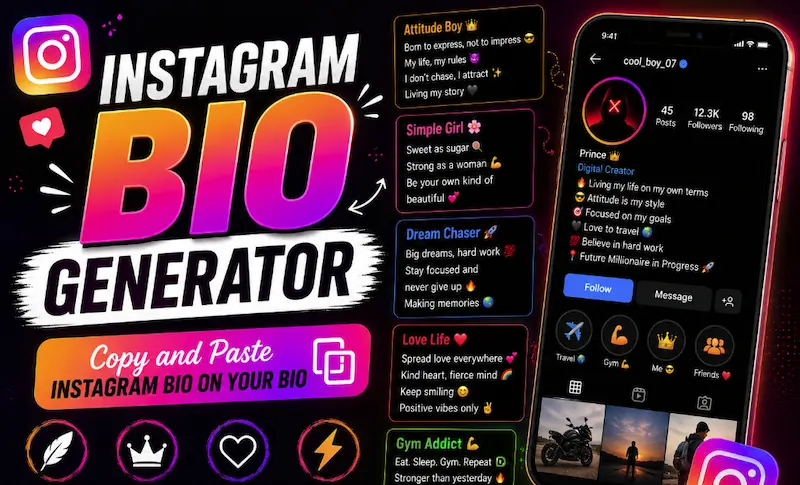
What Is an Instagram Bio Generator?
Instagram Bio Generator is a web tool that is focused on generating bios for Instagram users. If you are someone who uses Instagram and don’t want to create a bio yourself, then this is the best tool for you.
Using this tool, you can easily generate a bio. It is also going to tell you how to create a bio and how to use the Instagram Bio Generator.
How to Use Instagram Bio Generator
It’s quite simple to use. As you can see, there is a bio builder. The first thing you have to do is select a profile type.
You can see there are many options like Creator, Business, Fitness, Tech, Travel, Aesthetic, Boss, Sweet, Artist, and more. So, you can choose any of them.
For example, I mostly focus on fitness, so I will choose Fitness.
Once you choose Fitness, you will see an option called “Name / Display Title.” Here, you have to write your name or display title that you want to use.
It can be your username, nickname, or your original name that you use on official documents. For example, I will just use my username.
After that, you have to write your Instagram username. Whatever your Instagram username is, you should write it exactly that way.
Once you do that, there is an option for your profession, topic, and Niche. Here, you can write something like “fitness coach” or anything else that describes what you do.
By default, something may already be written there, but you can change it. Just write what kind of work you do in fitness or whatever your profession is.
Then you will see some lines for your bio. These lines will focus on the profile type you selected, such as fitness.
Then there is also a Call to Action, or CTA, button. There, you will see some text that you can add to your bio.
Below that, you will see the “Bio Website Link” option. You can add your website or link there. For example, it can say, “Want to join the 30-day challenge? Click the link in bio.”
When you paste it into your Instagram bio, your bio is going to look something like that.
Then you will see the Emoji Level option. There are many options you can choose from. You can try different options and do some experiments to see what you like, and then choose that style.
Then you will see the Font Aesthetic option. There are also many options that you can choose from. You can select the one that fits your profile.
After you do all of that, click on “Generate AI Bio.”
Once you click it, if you scroll down, you will see a preview of how it is going to look on your Instagram profile.
There, you can see your Instagram bio, the bio text, the website, and everything else that you have added.
But there is another option called “Transform Font Aesthetic” that you will see in the bio. From there, you can choose different kinds of fonts, like circle styles and other font styles.
There, you can see in the library exactly how each style is going to look. In this way, you can easily understand which style you want to use.
How to Copy Instagram Bio
After you generate an Instagram bio, you will see a “Copy Instagram Bio” button.
When you click it, you are going to see a notification saying that it has been copied. This means your bio has been copied.
Now you just have to go to your Instagram profile, go to the bio section, and paste whatever you copied from here. Then save it.
But before doing that, make sure to check the bio length. In the preview, there is an option where you can see the length of your bio.
When the length indicator is red, it means the bio is too long and you may not be able to save it on Instagram.
When you see the indicator in a safe color blue, it means your bio is within the limit and you can add it without any problem.
How Many Characters Are Allowed in an Instagram Bio?
Instagram allows you to add up to 150 characters in your bio. If your bio goes beyond that limit, you won’t be able to save it.
What Should I Do If My Instagram Bio Is Too Long?
There is only one thing you can do: minimize it or make sure the bio is within the 150-character limit.
So, how can you do that?
As you can see, there are many options here, such as key highlights, profession. If the bio is too long, try to make these sections shorter.
For your profession and topic, instead of writing four or five words, try to describe what you do in one or two specific words.
For example, instead of writing a long description, use something short and specific that clearly tells people what you do.
For the username, I believe you should keep it because that is important for identifying your profile. The same goes for your key highlights and other important information that you want to show.
How to Write the Best Instagram Bio in 2026
Your Instagram Bio is your digital elevator pitch. You have 150 characters to tell visitors who you are, what you do, and why they should follow you or click your link. Using our AI Bio Generator, you can quickly craft a high-converting profile that stands out.
Key Elements of a Powerful Instagram Bio:
- Clear Name & Niche: State your profession or core content focus immediately (e.g. Alex Rivers | Digital Creator).
- Structured Line Breaks: Bullet points and vertical spacing make your bio easy to scan on mobile screens.
- Relevant Emojis: Use emojis to add color and personality without wasting character space.
- Call to Action (CTA): Always guide visitors to click your profile link (e.g. 👇 Grab my free guide).
- Fancy Font Styling: Highlight key words using Unicode bold, script, or aesthetic spaced fonts.
What Are Instagram Bio Ideas?
Here, we have also added another functionality because we thought people would need it.
For example, if you don’t really know how to create a creative bio, you can use these ideas. Maybe you have created a bio here, but it exceeds the limit, or you simply want something different from what you are seeing.
In that case, you can use the Instagram Bio Ideas section. Here, you will see six different styles.
There is a clean and compact style. You can also find styles focused on highlights, conversion, and CTA. Then there are modern, aesthetic, and structured-list styles.
These are different ideas for your bio. Whenever you create a bio for yourself, it can generate six different ideas that you can choose from.
If you like one of them, you can copy it from here and use it.
If you want to see how it looks, you can click the “View” button. When you click it, it is going to show you a preview.
In that way, you can simply choose whichever one you like. If you want to copy it, just click “Copy.” It will copy the bio for you.
How to Use Ready-to-Use Instagram Bios
This is another option we have added because we thought people would find it useful.
In the Ready-to-Use Instagram Bios section, there are some bios that you can simply copy and use it. They are already written for you, or you can edit them the way you like.
Every bio you see here is easy to copy and paste into your Instagram bio.
If you click the “Edit” button, it will open the bio for editing, and there you can change it the way you want.
Frequently Asked Questions (FAQ)
What Is the Character Limit for an Instagram Bio?
Instagram has set a limit of 150 characters for your bio. If you add a bio that exceeds the 150-character limit, it is not going to save.
So, make sure your Instagram bio is 150 characters or less.
How Do I Copy a Bio From Here?
It is quite easy. You just have to click the “Copy Instagram Bio” button after generating your bio.
For the Ready-to-Use Instagram Bios, you just have to click the “Copy Bio” button.
Is This Instagram Bio Generator Free?
Yes, our generator is 100% free. There is no need to register for an account, and there are no limits.
Is All the Information I Add Here Safe?
Yes. All the information about your bio that you add to our website works on your local device.
Our website is made using JavaScript and works on the client side. This means everything happens on your device, so we don’t receive or store the information that you write there.
Will All Generated Bios Work on Instagram?
Yes, almost all of them. The bios you copy from here are designed to work on Instagram.
But sometimes, in rare cases, some symbols or special characters might not work properly. As I told you, this happens very rarely.