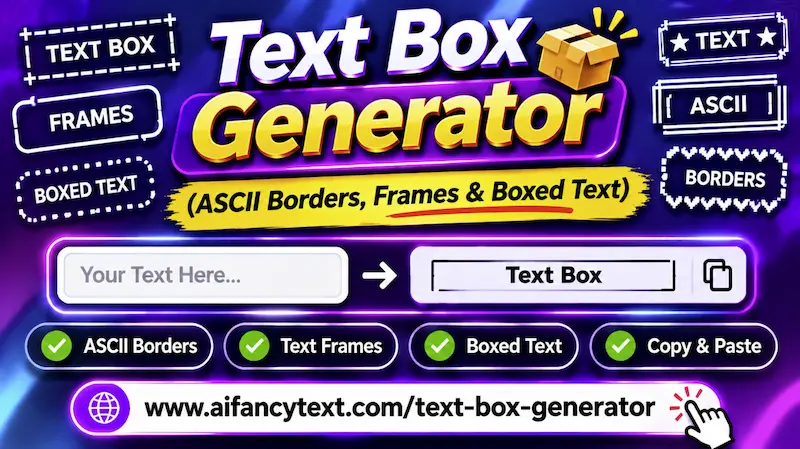
Instant ASCII Borders, Box Frames & Decorated Text Boxes
A Text Box Generator is a specialized typographic tool that wraps standard text inside decorative ASCII borders, geometric box frames, and ornamental brackets. Whether you are formatting an announcement in a Discord server, structuring clean callout headers in Notion, styling an eye-catching Instagram bio, or customizing a gaming clan banner, framed text immediately commands visual attention.
In standard digital text editors, creating bordered boxes manually requires hunting for obscure box-drawing symbols and painstakingly aligning vertical pipes. Our tool automates the entire process in real time: as you type, your text is instantly enclosed in classic single-line borders, authoritative double-line frames, curved aesthetic capsules, and decorative sparkle star boxes.
What Is a Text Box Generator and How Does It Wrap Characters?
Behind every text box lies the official Unicode Box Drawing Block (code points
U+2500 through U+257F). First introduced into early computing standards during
the DOS and ANSI terminal era of the 1980s, these standardized glyphs were designed to create graphical
windows, dialogue boxes, and drop-down menus without needing pixel graphics.
Modern social platforms and messaging apps inherit complete support for these characters. When our
generator builds a frame around your words, it algorithmically pairs matching corner glyphs (like
┌ top-left and ┐ top-right) with horizontal border lines (─) and
vertical boundary walls (│) to encapsulate your message in a cohesive frame.
Popular ASCII Box Styles: Copy-and-Paste Reference Library
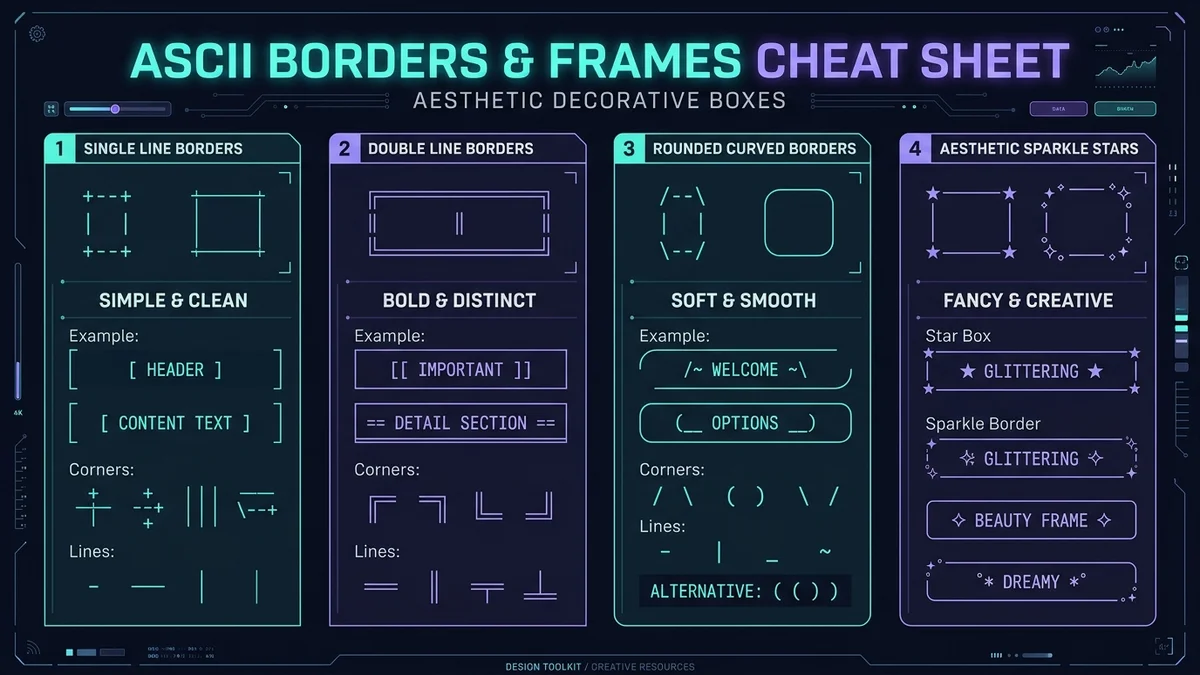
Depending on your visual aesthetic, different border styles convey distinct moods. Below are the most popular categorized box frameworks ready for immediate use:
1. Double-Line Classic Box
Bold, authoritative frame for announcements and milestone achievements.
╔═══════════════════════════╗
║   ✦ YOUR AESTHETIC TEXT ✦ ║
╚═══════════════════════════╝
2. Rounded Curved Frame
Soft, modern capsule styling using curved Unicode corner glyphs.
╭───────────────────────────╮
│   ♡ Minimal Rounded Box ♡ │
╰───────────────────────────╯
3. Sparkle & Celestial Frame
Whimsical aesthetic frame for Tumblr, Instagram bios, and personal journals.
★━━━━━━━━━━━━━━━━━━━━━★
  ✧ DREAM WITHOUT FEAR ✧
★━━━━━━━━━━━━━━━━━━━━━★
4. Single-Line Bracket Capsule
Compact single-line enclosures ideal for gaming clan tags and mobile bios.
【 𝕍𝕀ℙ ℂ𝕃𝕌𝔹 】 〔 𝕃𝔼𝔾𝔼ℕ𝔻 〕 ⦗ 𝗙𝗔𝗡𝗖𝗬 ⦘
How to Make Text Boxes in Discord (Using Markdown Code Blocks)
Discord is one of the most popular platforms for styled text boxes. While Discord does not have a native "border" button, you can create colored, framed callout boxes using its built-in Markdown Code Block syntax paired with syntax highlighting engines:
1. The Fix-Syntax Yellow/Gold Alert Box:
Typing ```fix creates an alert box
with highlighted amber text:
```fix
[SERVER ANNOUNCEMENT] Scheduled Maintenance at 02:00 UTC
```
2. Combining ASCII Borders Inside Discord Code Blocks:
To ensure multi-line ASCII frames do not warp or
break on Discord mobile, enclose your box inside standard triple backticks (```). This
forces Discord to render the entire box in a monospaced font where every character has identical
width:
```
┌─────────────────────────────────┐
│  ⚔️ GUILD WAR: SATURDAY 8PM     │
│  📍 Channel: #raid-voice-1      │
└─────────────────────────────────┘
```
Creative Uses for Text Boxes Across Platforms
- Notion Workspace Dividers: Use minimal rounded boxes (
╭───╮) as callout titles to structure study dashboards, client deliverables, and reading lists. - Instagram & TikTok Bio Callouts: Wrap your primary value hook or affiliate link
CTA in bracket enclosures like
【 👇 Grab The Free Guide 】to boost profile click-through rates. - Gaming Clan Banners & MOTD: In games like Minecraft, Free Fire, and Counter-Strike, multi-line ASCII boxes create professional message-of-the-day (MOTD) announcements in guild descriptions.
- Terminal & CLI Scripts: Developers and system administrators use ASCII borders to frame terminal splash screens, command logs, and installation completion summaries.
Troubleshooting: Proportional Fonts vs. Monospaced Fonts
A common issue when pasting multi-line ASCII boxes into platforms like Twitter/X or Facebook is that the right-hand border may appear wavy or misaligned.
This occurs because standard social feeds utilize proportional fonts (such as Helvetica, Roboto, or San Francisco) where the letter "W" is much wider than the letter "I". If your text box contains characters of varying natural widths, the lines shift unevenly.
The Solution: If you are publishing to a platform with proportional fonts, use
single-line bracket frames (e.g. 【 Your Text 】 or
⦗ Aesthetic Frame ⦘) rather than multi-line rectangular grids. Single-line frames never
suffer from horizontal misalignment!
Frequently Asked Questions (FAQ)
Can I copy and paste these text boxes to Instagram and TikTok?
Yes! Single-line bracket frames (like 【 ✦ 𝗙𝗮𝗻𝗰𝘆 ✦ 】) and single-line dividers
work seamlessly in Instagram bios, TikTok captions, and WhatsApp messages without distorting.
Why do multi-line ASCII boxes look misaligned on mobile?
Multi-line ASCII box drawings require a monospaced font (where every letter occupies identical horizontal space). In environments like Discord code blocks or terminal apps, they align perfectly. On standard social feeds with proportional fonts, single-line frames are recommended.
Are these box-drawing characters supported on iPhone and Android?
Yes, all box-drawing characters in our generator are official Unicode standard glyphs supported natively on iOS, Android, macOS, and Windows.
Is this Text Box Generator free to use?
Yes, our Text Box Generator is 100% free with unlimited conversions, zero token limits, and instant 1-click clipboard copying.