What Is a Strikethrough Text Generator and How Do Crossed Out Fonts Work?
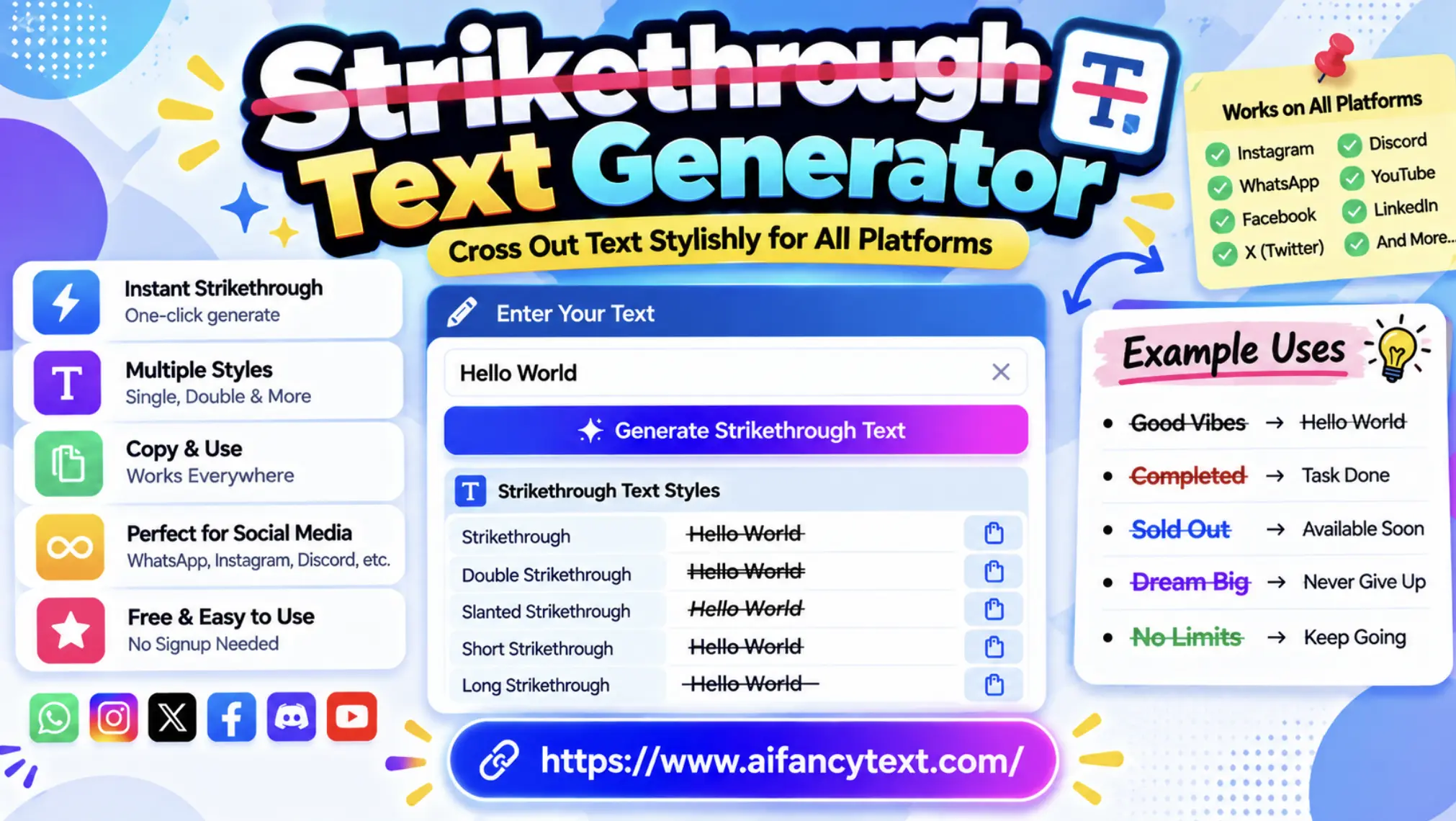
Strikethrough text generator is a free online tool that converts normal text into stylish text with a line through it. You can use it to make messages, names, captions, and other text more noticeable.
The tool uses Unicode characters to create text styles that work on many devices, including mobile phones, laptops, tablets, PCs, and smart TVs. Since it works online, you do not need to download or install any software. Simply open the tool in your browser and start using it.
Why Use Strikethrough Text?
Strikethrough text is useful when you want to highlight changes, show old prices, or make specific words
stand out. For example, a seller can display a discount like this: ₹99 ₹49.
This makes the original price and the new price easy to compare. You can also use strikethrough text in SMS messages, social media posts, and chats with friends or family.
The 5 Unicode Combining Overlay Marks (How It Stretches Everywhere)
Rather than using application-specific markdown, our generator inserts Combining Diacritical Overlay Marks directly between each character:
| Style Name | Example Output | Unicode Code Point | Best Use Case |
|---|---|---|---|
| Long Stroke (Classic Strike) | s̶t̶r̶i̶k̶e̶ | U+0336 Combining Long Stroke |
Bio lines, edits, sarcasm |
| Short Stroke Overlay | s̵t̵r̵i̵k̵e̵ | U+0335 Combining Short Stroke |
Dotted crossed-out effect |
| Slash Through Overlay | s̷l̷a̷s̷h̷ | U+0338 Combining Long Solidus |
Hacker, tech, cyber tags |
| Tilde Overlay (Wave Strike) | s̴t̴i̴l̴d̴e̴ | U+0334 Combining Tilde Overlay |
Aesthetic wavy text |
| Low Line (Underline) | u̲n̲d̲e̲r̲l̲i̲n̲e̲ | U+0332 Combining Low Line |
Emphasis, titles, links |
How Does a Strikethrough Text Generator Work?
The tool converts regular text into a strikethrough style using special Unicode characters. Once the text is generated, you can copy it and paste it into supported messaging apps, websites, and social media platforms.
Because the generated text uses Unicode characters, it works across many platforms without requiring a separate font or application. However, its appearance may vary depending on the device or app.
How to Use the Strikethrough Text Generator
Using the strikethrough text generator is simple. Follow these steps to create and copy your preferred text style.
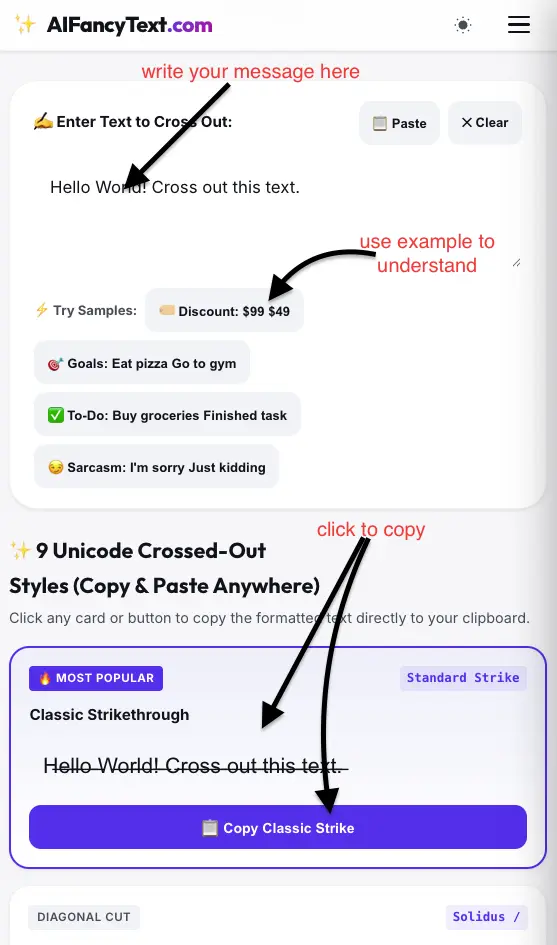
- Enter your text: Find the input text area and type your message, nickname, name, or anything else you want to convert into strikethrough text.
- Try the sample text: Below the input area, you may find some examples that you can use to see how different text styles look. Click any sample to display it in the input area.
- Explore the generated styles: As you type, the tool automatically generates different strikethrough text styles based on your input.
- Choose your favorite style: Browse the available results and select the style you like. You can click the text itself or use its corresponding Copy button.
- Copy your text: Once you click the text area or the Copy button, the selected styled text is copied to your clipboard.
- Paste it anywhere: You can now paste the copied text into messages, social media posts, chats, or other platforms that support the characters.
Each generated style have its own Copy button. In copy button you will see copy + style name like "Copy Double Strike". Double strike is the name of style so when you click you will copy that like that every style have their own name.
Strikethrough Formatting Support Across Major Platforms
| Platform | Native Shortcut / Method | Supports Unicode Copy & Paste? | Best Solution |
|---|---|---|---|
| None (no markdown supported) | ✅ Yes, 100% supported | Use our Unicode generator | |
| TikTok | None (no markdown supported) | ✅ Yes, 100% supported | Use our Unicode generator |
| Discord | Type ~~text~~ |
✅ Yes, supported | Markdown ~~text~~ or Unicode |
Type ~text~ |
✅ Yes, supported | Tilde shortcut or Unicode | |
| X (Twitter) | None (unless using premium editor) | ✅ Yes, 100% supported | Use our Unicode generator |
Type ~~text~~ |
✅ Yes, supported | Markdown ~~text~~ |
|
| YouTube Comments | Type -text- |
✅ Yes, supported | Dash shortcut or Unicode |
| None (no markdown supported) | ✅ Yes, supported | Use our LinkedIn Formatter or Unicode |
Popular Use Cases for Crossed Out Text
Here, we have written some use cases where you can use crossed out text.
- E-Commerce Sales & Price Cuts: Highlight massive discounts by crossing out the
original manufacturer price (e.g., Was
$149, Now $79!). - Satire, Irony & Humor: Reveal hidden thoughts or self-correct in social media
captions (e.g., "I definitely loved waking up at 5 AM today
I want to cry"). - Digital To-Do Lists & Goals: Cross out accomplished fitness milestones, completed work tickets, or grocery list items in plain text note apps.
- Aesthetic Usernames & Bios: Add an edgy or vintage aesthetic to gaming usernames (PUBG, Free Fire, Roblox, Steam) and Discord nicknames.
Frequently Asked Questions (FAQ)
How does Unicode strikethrough text work?
Unicode strikethrough text works by appending a combining diacritical character—such as U+0336 (Combining Long Stroke Overlay)—after each letter. Because this horizontal line is encoded directly into the Unicode character sequence rather than HTML or CSS markup, it copies and pastes cleanly into any app or website, including Instagram bios, TikTok comments, and Twitter posts.
How do you do strikethrough on Discord?
On Discord, you can cross out text using Markdown by surrounding your words with two tildes on
each side: ~~like this~~. Alternatively, you can copy Unicode strikethrough text
directly from this generator and paste it anywhere without needing Markdown.
How do you do strikethrough on WhatsApp?
On WhatsApp, type a single tilde (~) before and after your message: ~text~. When
sent, WhatsApp formats it as strikethrough. You can also copy generated Unicode text from this
tool to display crossed-out text on WhatsApp profiles, statuses, or group names.
Can I use crossed-out text on Instagram and TikTok?
Yes! Neither Instagram nor TikTok supports rich text formatting or markdown like
~~text~~. However, our Unicode strikethrough generator converts your words using
universal combining characters that display properly in Instagram bios, photo captions, reels,
and TikTok profiles.